Diesel Is Your Biggest Cost. Here's How to Track Every Litre: Kibali, Fuel LPOs and the Fuel Ledger

For a truck running Dar es Salaam to Lubumbashi and back, diesel is the biggest single cost, often more than the driver, tolls and maintenance put together. Yet in many transport companies diesel is the hardest cost to follow: some comes from the company's own tank in the yard, some is bought on the road against a paper order, some is paid in cash by the driver, and the supplier's invoice arrives weeks later. By month end, nobody is sure which truck used what, or whether the station billed for more than was filled.
eSecured ERP brings all of it into one flow, from the moment diesel is bought to the moment it shows in the job's profit.

From your own yard: restock, Kibali, dispense
1. Restock the tank. Your yard tank is real stock. When the supplier delivers, record their bill as an ordinary purchase invoice received into the Diesel Yard store. Approve it, and the litres are added to the tank and the amount is owed to the supplier.
2. Print a Kibali for the trip. On the trip page, click ⛽ Kibali. The litres come from the route's expected diesel (you set this once per corridor, for example 900 litres for Dar es Salaam to Lubumbashi), and you can change them. The Kibali Cha Mafuta prints with the truck, driver, route, litres and the job and trip numbers, ready for the driver to take to the yard.
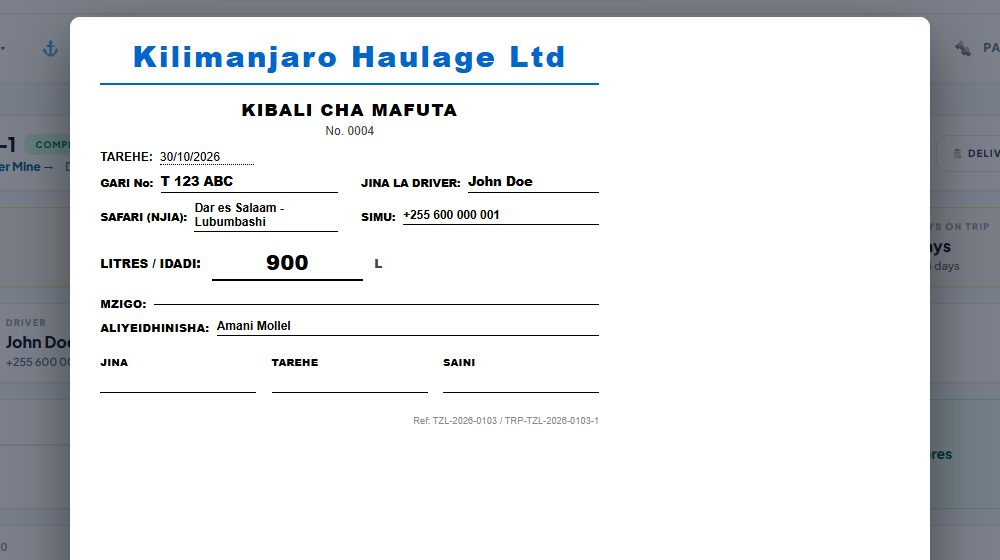
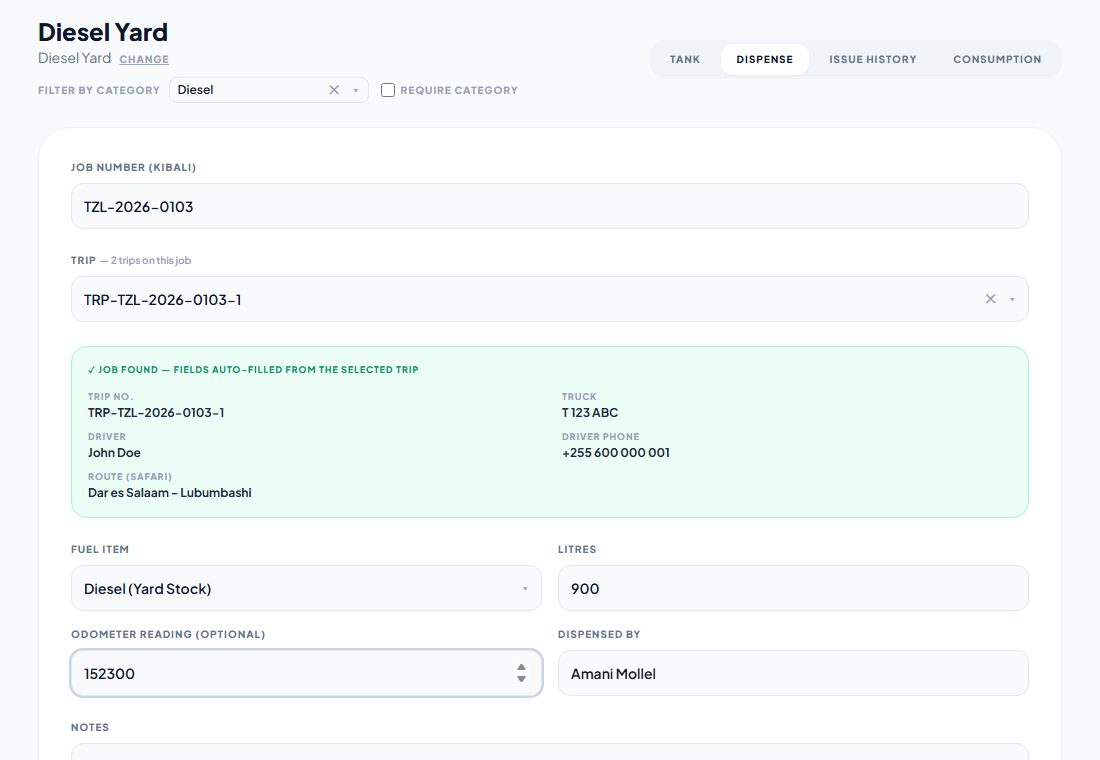
3. Dispense at the yard. The yard attendant opens Diesel Yard → Dispense and types the job number from the Kibali. The trip, truck, driver and route fill in on their own, so the attendant only enters the litres and the odometer reading. The fuel leaves the tank at cost and lands on the trip and the job straight away.
On the road: the Fuel LPO
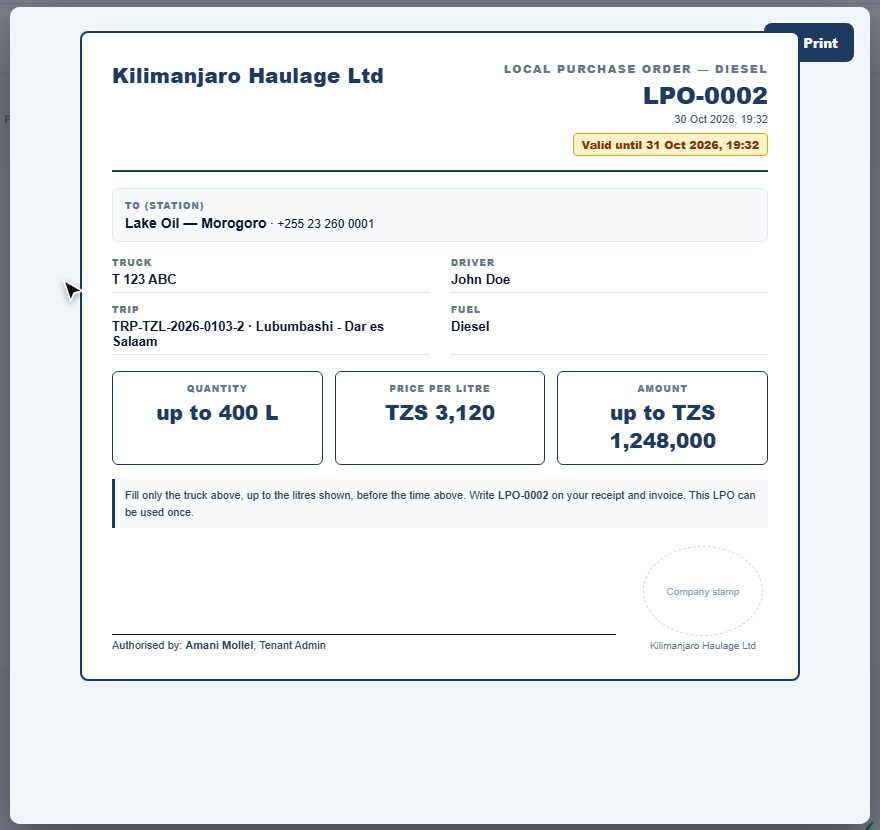
Far from the yard, the truck fills at an outside station on credit. Instead of a handwritten note, the fuel manager issues a Fuel LPO (Local Purchase Order):
- pick the station and the trip; the truck and driver come from the trip
- set the most litres the station may fill and the price per litre
- the LPO is valid for 24 hours (you can change this), and prints with your signature and company stamp, or goes to the station on WhatsApp
If the LPO would take the trip's diesel above the route's expected litres, it waits for approval from someone with Approve Fuel LPOs, and nobody can approve their own.
When the truck has filled, confirm the fill from the station's receipt: litres, amount, date and receipt number, with a photo of the receipt if you like. The cost lands on the trip at once, and the amount is recorded as owed to the station.
The station's invoice: match it, approve it, pay it
At month end the station sends one invoice for many fills. Open Fuel LPOs → Bill Invoice (or click Bill station invoice → on a filled LPO), pick the station, and the filled LPOs are ticked for you. Enter the station's invoice number and total. If the total matches the confirmed fills you see Matches; if not, the difference is added as its own line for you to check with the station before approving. Approve and pay the bill as usual. The fuel cost was already on the trips, so it is never counted twice.
One Fuel Ledger for every litre
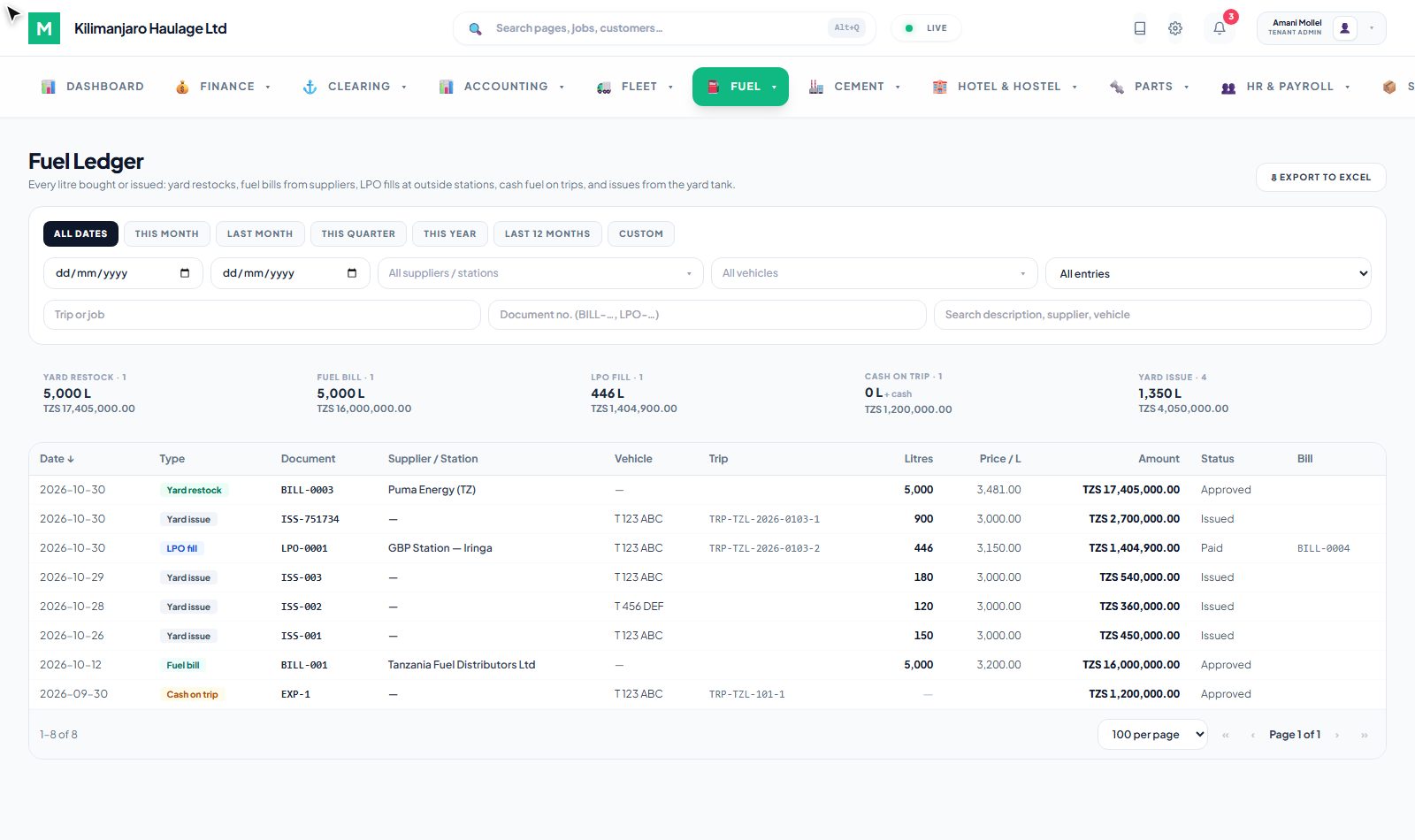
Diesel reaches your books in five ways, and the Fuel Ledger shows them all in one list:
| Type | Comes from |
|---|---|
| Yard restock | A supplier bill received into the Diesel Yard |
| Fuel bill | Supplier bill lines in the Fuel category, bought on account |
| LPO fill | A confirmed Fuel LPO fill at an outside station |
| Cash on trip | Fuel paid in cash on the road |
| Yard issue | Diesel dispensed from your tank into a truck |
Nothing is counted twice: an LPO fill and the station's bill are one purchase, not two. Filter by supplier, truck, trip or job, or click a type to see only those entries. Click any line to open the bill, LPO or expense behind it, and export the whole list to Excel.
Fuel Reports
Fuel → Reports answers the everyday questions:
- Diesel Issuances: each dispense from the yard, with driver, job, trip and odometer
- Vehicle Consumption: litres and cost per truck
- Purchases: every fuel purchase, by supplier or station
- LPO Register: litres allowed against litres actually filled, the variance, and the supplier bill
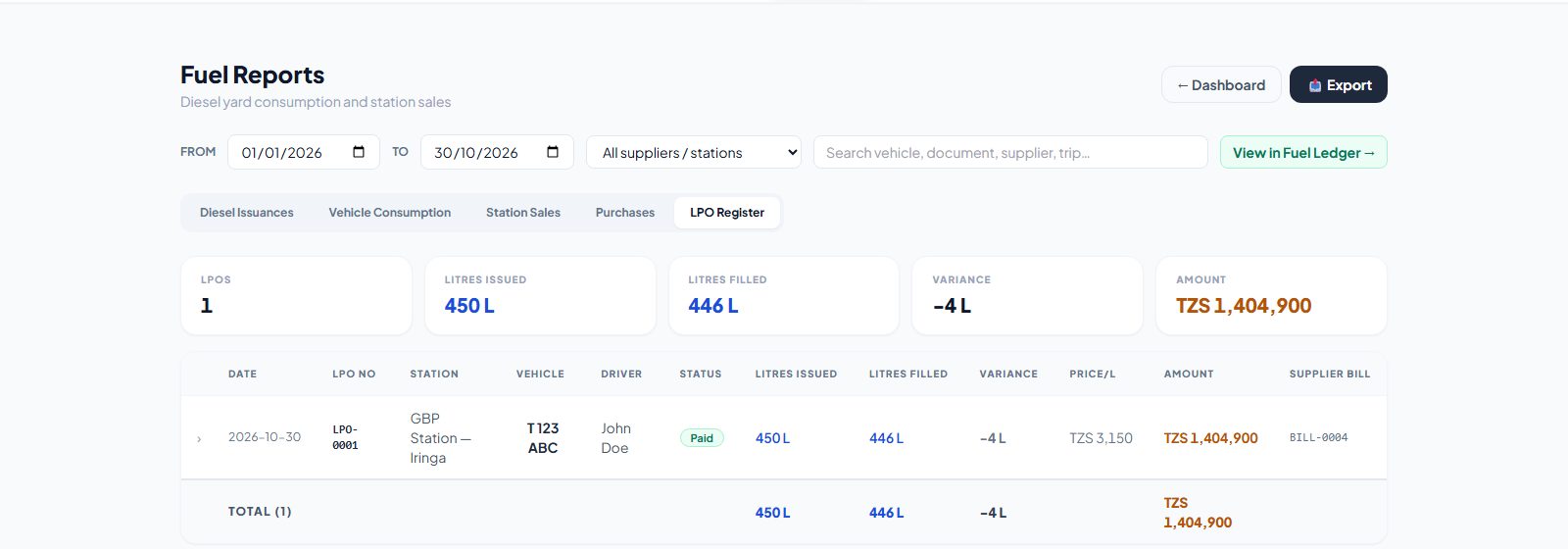
View in Fuel Ledger → opens the entries behind any report, with the same dates, supplier and search.
What changes for the business
- The yard tank adds up. Litres in, litres out, and the level on screen matches the dip.
- No fuel without paper. Every litre from the yard has a Kibali and a dispense; every litre from a station has an LPO and a receipt.
- Stations bill only what was filled. The station's invoice is checked against confirmed fills before anyone pays it.
- Every trip shows its real diesel. The trip page shows litres from the yard and LPOs against the route's expected litres, and the cost is in the job's profit.
Related reading
- Diesel Yard documentation →: the tank, dispensing, Fuel LPOs, the Fuel Ledger and permissions
- Logistics →: jobs, trips, corridors and expected diesel
- Job profit before VAT →: how the diesel cost shows in each job's profit