Petty Cash Management in Tanzania: Know Who Got What, and What Is Left

At the start of the month the accountant collects TZS 5,000,000 from the bank for the office. Within a week, the office assistant has TZS 500,000 for stationery, the caretaker has TZS 300,000 for the generator, someone bought airtime, and the receipts are in an envelope. At month end the questions are always the same: how much was given out, to whom, what was it spent on, and how much should still be in the box? With a notebook, answering them takes an afternoon. With petty cash in your ERP it takes one click.

Why petty cash goes wrong
Petty cash is small money, so it gets small attention. The usual problems:
- Cash handed out with no record. Someone takes money "for the office" and the only trace is the accountant's memory.
- Receipts that never come back. A month later nobody remembers whether the TZS 200,000 for tea and water was spent, returned or is still in a pocket.
- Change mixed with the float. Change goes back in the box, but nobody notes it, so the count never matches.
- Spending that never reaches the books. Petty cash purchases are real expenses. If they stay in a notebook, your profit and loss is wrong every month.
How petty cash works in eSecured ERP
Petty cash uses the classic imprest method: a fixed float held by one custodian, topped up when it runs low, with every hand-over accounted for by receipts and change. The ERP keeps the record for you.
- Set up the float. One cash box, the person who holds it, and the account it is booked in (usually Cash on Hand). Branches or sites can have their own float.
- Top up the box. Record the TZS 5,000,000 withdrawn from the bank. The box balance is always on screen.
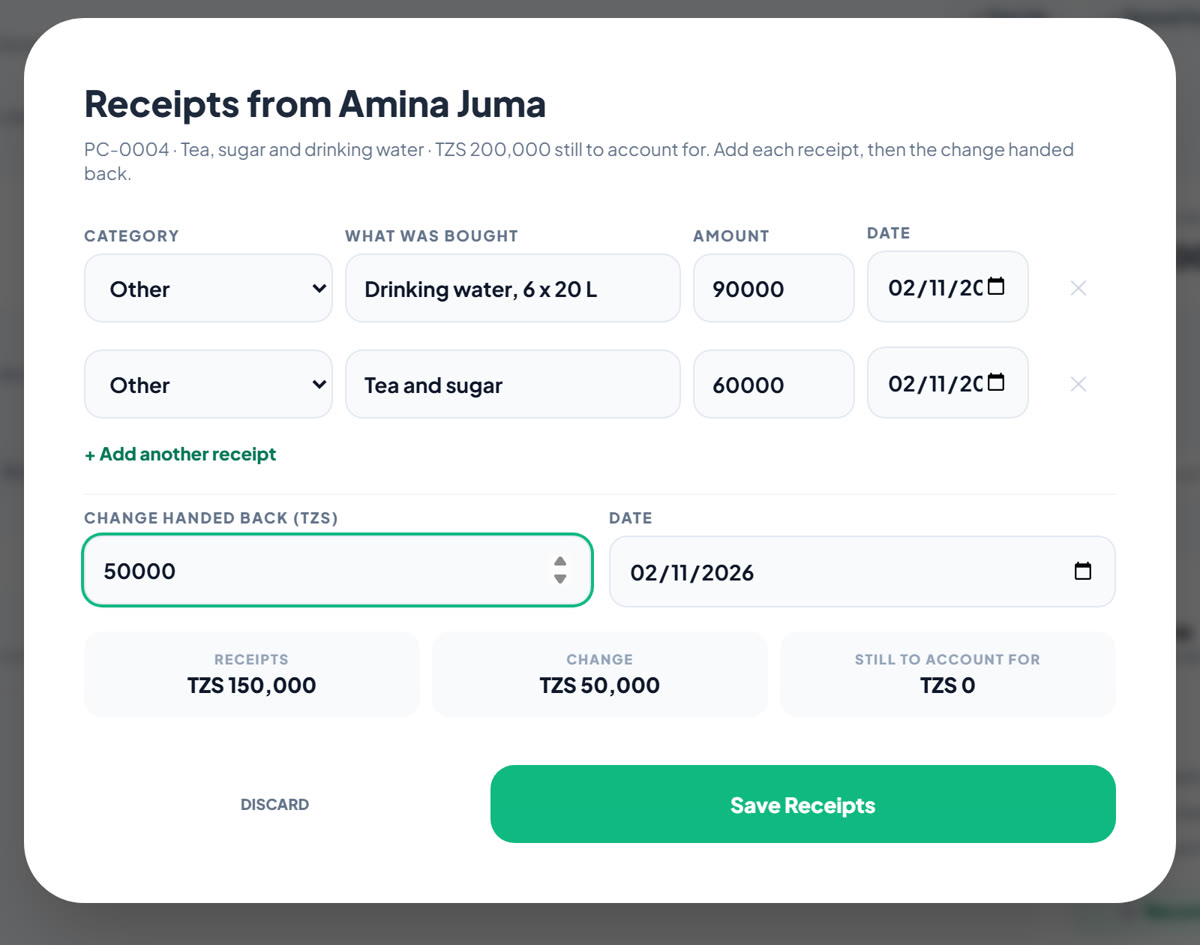
- Give cash to staff. Choose the employee, the amount and what it is for. Until they account for it, the amount sits against their name.
- Take back receipts and change. When they return, enter one line per receipt (category and what was bought) and the change handed back. Each receipt becomes an expense under its category; the change goes back in the box.
- Spend from the box. Small items paid straight from the box, like airtime, are recorded in one step.
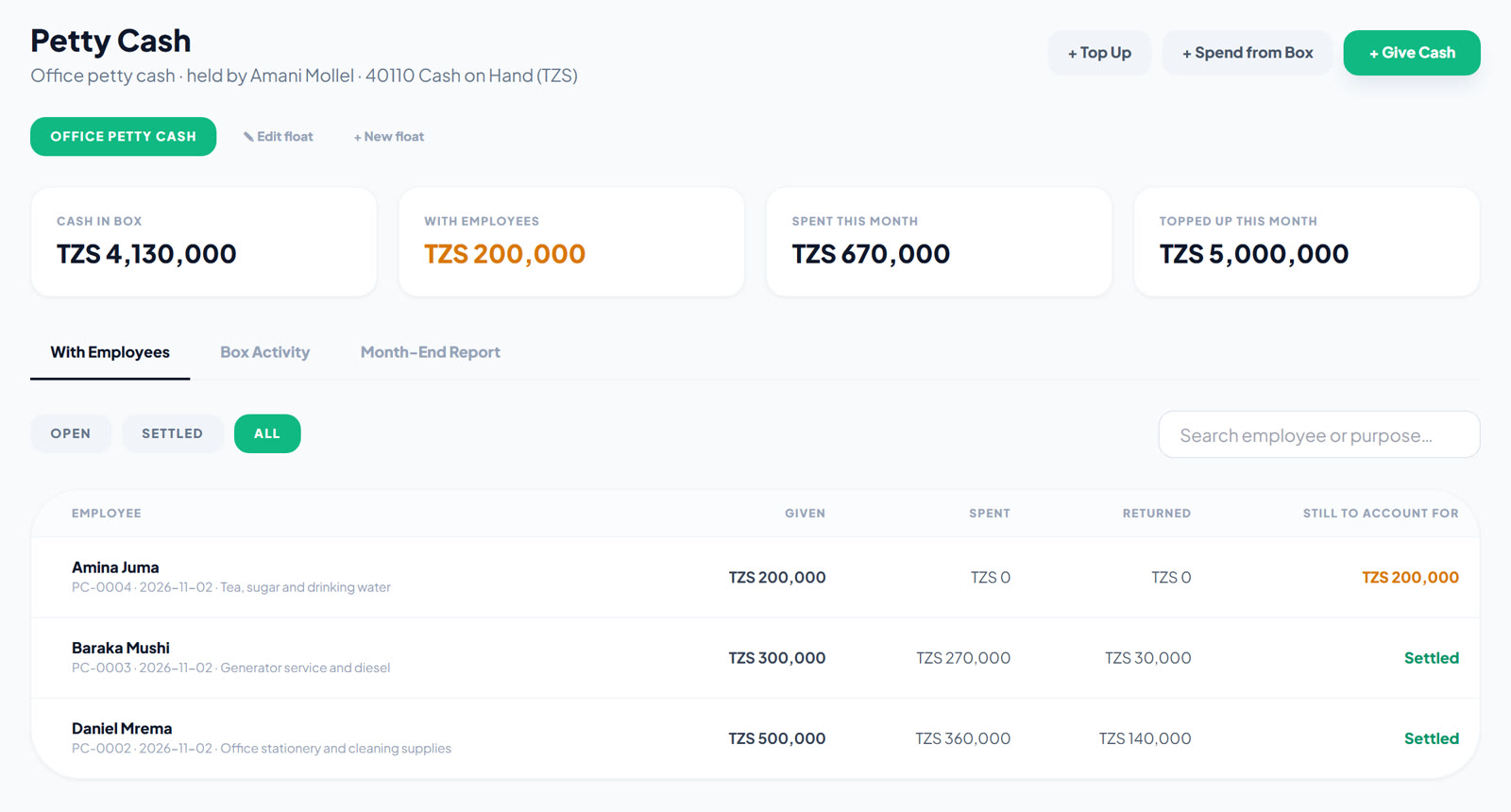
The With Employees list shows every hand-over. Open ones are in orange until the employee brings back receipts and change for the full amount. The system won't accept more receipts and change than the employee was given, so the numbers can't drift.
The month-end petty cash report
Pick the month and the report answers every question at once:
- Cash at the start of the month, top-ups, and cash given to employees
- Total spent, split into what staff spent and what was paid straight from the box
- Still with employees, and the cash that should be in the box
- Given to whom: per employee, what they owed at the start, what they got, spent, returned, and still owe
- Spent on what: totals per expense category
- Every entry in date order
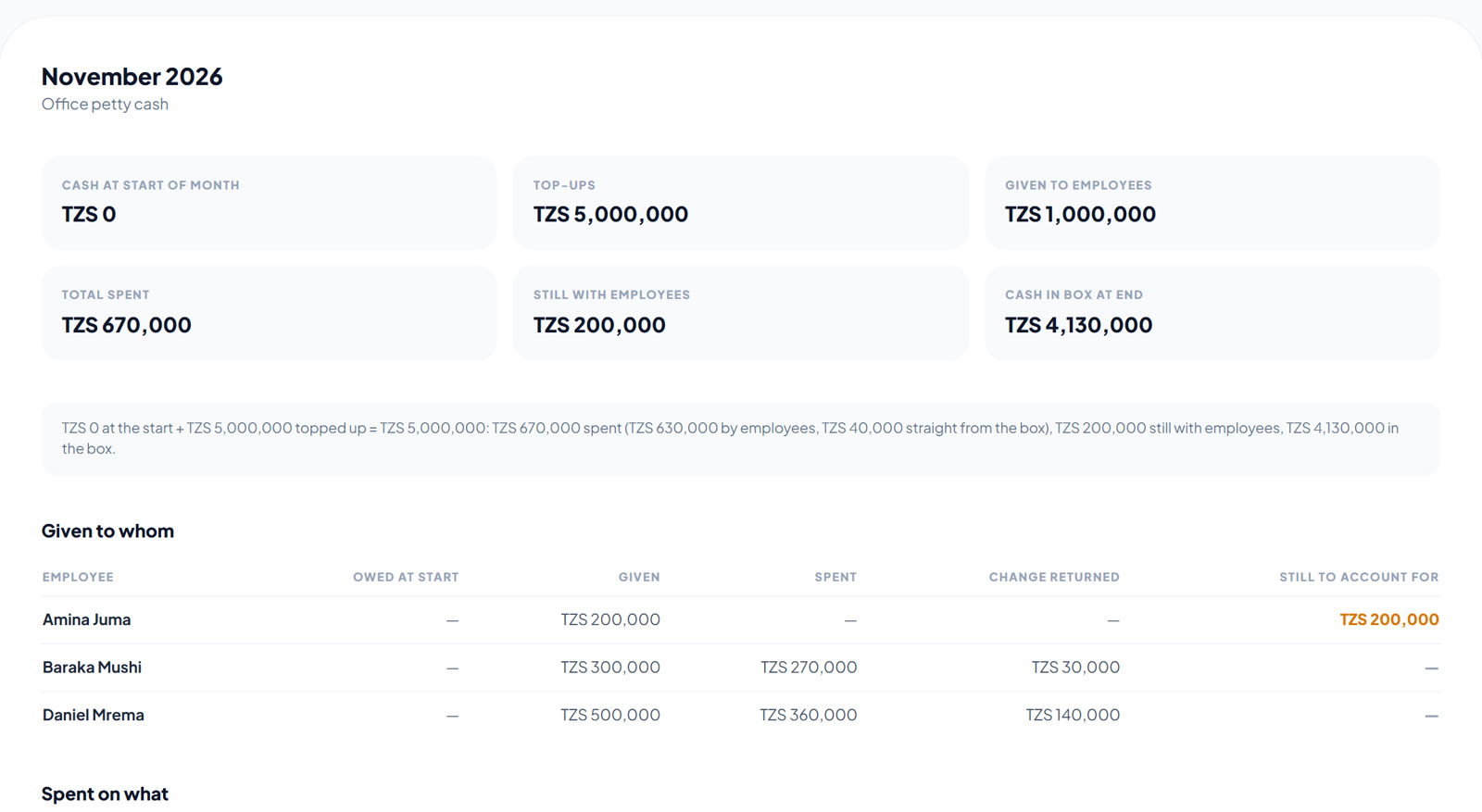
The figures always balance: cash at the start + top-ups = spent + still with employees + cash left in the box. When you count the box at month end, you know exactly what the count should be.
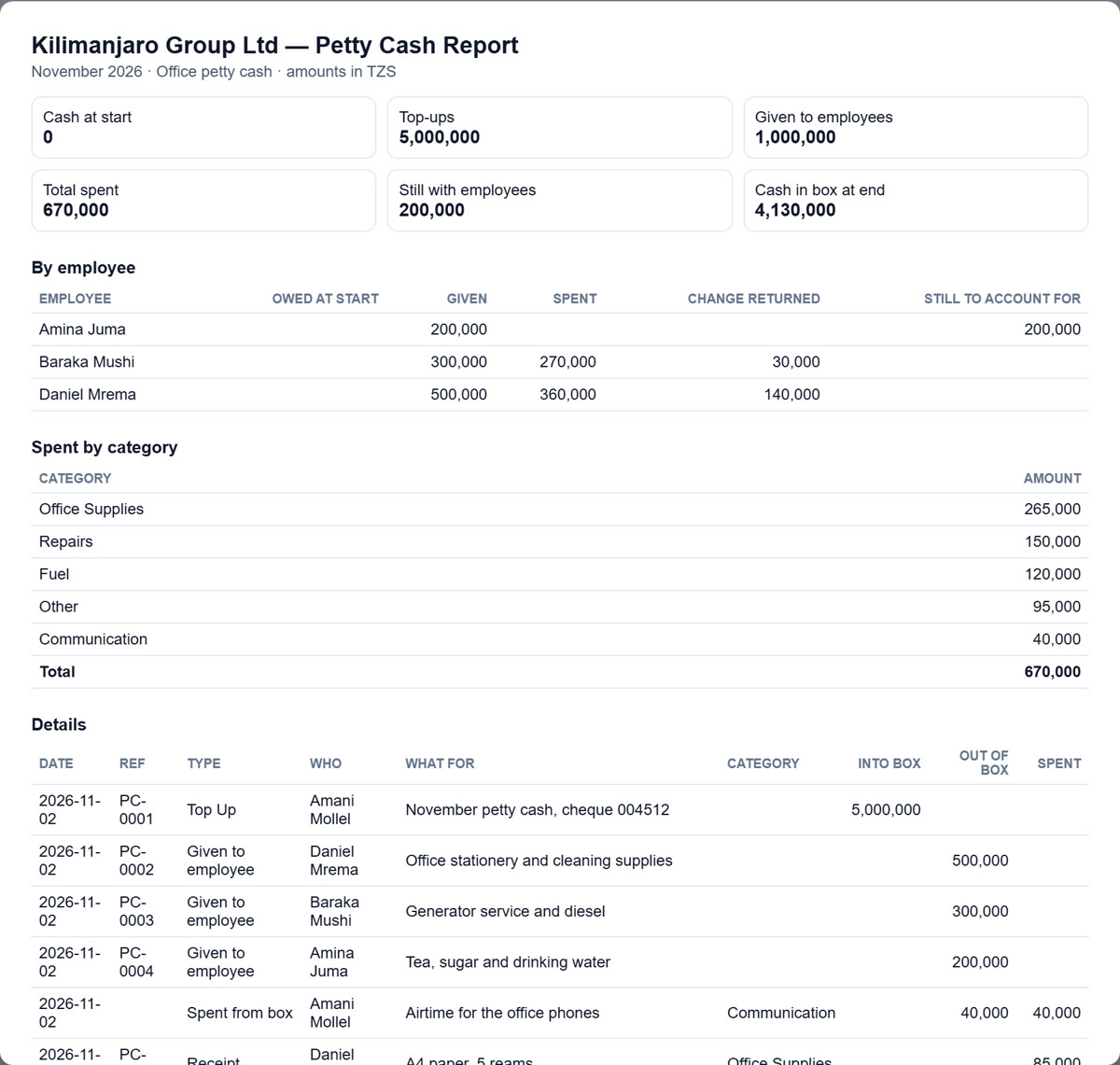
Print the report on one page with signature lines (prepared, checked, approved) for the file, or export it to Excel with Summary, By Employee, By Category and Details sheets for your auditor.
Posted to your books automatically
Every step is posted to the General Ledger, so the petty cash account in your balance sheet matches the box, and every receipt lands in your profit and loss under the right expense account:
| Step | Debit | Credit |
|---|---|---|
| Top up | Cash on Hand | Bank |
| Give cash to an employee | Advances to Staff | Cash on Hand |
| Receipt brought back | Expense account for the category | Advances to Staff |
| Change returned | Cash on Hand | Advances to Staff |
| Spend from the box | Expense account for the category | Cash on Hand |
Money with an employee sits in Advances to Staff until it is accounted for, so at any time the balance sheet shows how much cash is still out with staff.
Tips for running petty cash
- One custodian per box. The person who holds the cash records it. Others can view the report.
- Give cash for a purpose. "Stationery and cleaning supplies" makes the receipts easy to check.
- Close hand-overs within the week. The orange "still to account for" amounts show who to follow up.
- Count the box at month end and compare it with cash in box at end. A difference means something wasn't recorded.
- Use clear expense categories (Office Supplies, Fuel, Repairs, Communication) so Spent on what is meaningful.
Get started
Petty Cash is part of eSecured ERP's Accounting. Ask us to switch it on for your company, then follow the Petty Cash guide → to set up your first float.
New to eSecured ERP? Book a free demo at erp.co.tz and we'll show you petty cash, expenses and your books working together.